Yes, you can use an electronic passport for international trips. An electronic passport has a small chip that stores your photo and personal data. Most countries now accept this kind of passport. More than 1 billion electronic passports have been issued by 174 countries, and over 140 countries issue them regularly. When you Travel with Passport that has this chip, you benefit from faster and safer border checks. People around the world choose e-passports because they want better security and easier travel.
Key Takeaways
Electronic passports, or e-passports, enhance travel security with embedded chips that store personal data and biometric information.
Using e-passports speeds up border control processes, allowing travelers to pass through automated e-gates quickly and efficiently.
Most countries accept electronic passports, but it’s essential to check your destination’s entry requirements before traveling.
E-passports offer better protection against identity theft and forgery, making your travel experience safer.
Keep your electronic passport in good condition by using a protective cover and avoiding damage to the chip.
Electronic Passport Overview

What Is an Electronic Passport?
When you hear the term electronic passport, you might wonder what makes it different from a regular passport. An electronic passport, sometimes called an epassport, looks like a traditional passport booklet. The big difference is the small electronic chip inside the cover. This chip stores your personal information and adds extra security.
ePassports add a layer of security to traditional non‑electronic passports by embedding an electronic chip in the passport booklet that stores the biographical information visible on page 2 of the passport, as well as a digital security feature.
The United States started giving out electronic passports to all citizens in August 2006. Since 2007, every U.S. passport has included this technology. Many other countries have followed this trend, so you will likely use an electronic passport if you travel internationally.
Epassport Features
The chip inside your electronic passport holds important data. Here’s what you can find stored on it:
Full name
Date of birth
Biographical information, like your birthplace
A digital photograph, often with a 3D map of your face for facial recognition
Biometric details, such as fingerprints or iris scans
A unique passport chip identification number
A digital signature that keeps your data safe from tampering
You might wonder how an electronic passport compares to the old paper version. Take a look at this table to see the main differences:
Feature | Traditional Paper Passports | Electronic Passports (ePassports) |
|---|---|---|
Data Storage | Printed information | Embedded electronic microprocessor chip |
Security | Basic visual checks | Advanced cryptography and biometric data |
Identity Verification | Manual checks by border agents | Automated checks using facial recognition |
Resistance to Forgery | Easier to replicate | Difficult to counterfeit due to embedded chip |
Processing Speed at Borders | Slower, manual processing | Faster, automated processing with e-passport gates |
Biometric Data | Not included | Includes facial images, fingerprints, iris patterns |
Privacy Protection | Basic | Enhanced through secure data storage and processing |
With an electronic passport, you get better protection against forgery and faster border checks. The epassport makes your travel experience smoother and safer.
Travel with Passport: How Epassports Work

Border Control Process
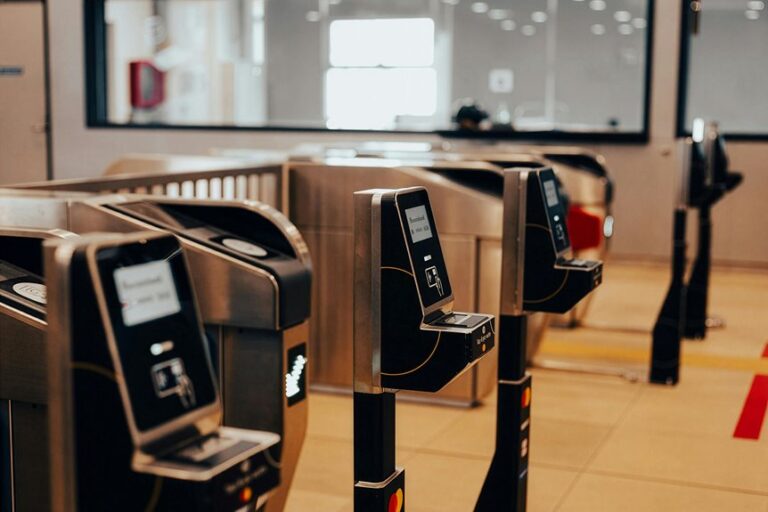
When you travel with passport that has a chip, you will notice the process at border control feels different from the old days. You do not just hand your booklet to an officer. Now, many airports use e-gates, which are automated lanes that scan your electronic passport and check your identity.
Here is what usually happens when you use an e-gate:
Step | Description |
|---|---|
1 | You walk up to the e-gate and place your passport on the scanner. |
2 | The system reads the chip inside your passport. |
3 | The camera takes your photo or scans your fingerprint. |
4 | The system compares your live photo or fingerprint to the data stored in your passport. |
5 | If everything matches, the gate opens and you can enter the country. |
Tip: You do not need to talk to a border officer unless there is a problem. The process is quick and easy.
When you travel with passport that has a chip, you get secure and efficient border checks. You do not have to wait in long lines. You just scan your electronic travel document, look at the camera, and move through border control quickly. Many countries, like New Zealand, now let travelers from over 48 countries use these e-gates. This makes your journey smoother and saves you time.
Technology Used
E-gates use special technology to make sure you are who you say you are. When you travel with passport that has a chip, the system uses biometric checks. The most common method is facial recognition. The camera at the e-gate takes your picture and matches it to the digital photo stored in your passport’s chip. Some systems also use fingerprints or iris scans for extra security.
Automated border control systems collect your name, travel document type, and biometric data, such as fingerprints and facial images. These systems connect to international security databases to check your information. They follow strict rules to protect your privacy and keep your data safe.
Here is a quick look at how these systems work:
Feature | Description |
|---|---|
System Type | Automated IT system for registering travelers from other countries. |
Data Collected | Name, travel document type, biometric data (fingerprints and facial images), entry and exit dates. |
Compliance | Follows data protection laws and respects your rights. |
Note: The Entry/Exit System helps keep borders safe and makes your travel with passport faster and easier.
If you plan to visit the United States under the Visa Waiver Program, you must have an electronic passport. Since April 1, 2016, all travelers using this program need a passport with an embedded chip. Each family member, even babies, must have their own passport. Emergency or temporary passports must also be electronic.
Requirement | Description |
|---|---|
Passport Validity | Must be valid for at least 6 months after you leave the U.S. |
E-Passport | Must have an electronic passport with a chip. |
Family Members | Each person, including infants, needs their own passport. |
Emergency Passports | Must be electronic if you use an emergency or temporary passport. |
If you do not have an electronic passport, you will need to apply for a visa before you can travel with passport to the U.S.
Benefits of Electronic Passport
Speed and Convenience
When you use an electronic passport, you notice how much faster your travel experience becomes. You can breeze through border control with automated e-gates. These gates scan your passport chip and match your face or fingerprints in seconds. You do not have to wait in long lines or deal with slow manual checks. Your passport’s chip lets you move quickly, even during busy travel seasons.
Tip: If you travel often, you will appreciate how e-passports save you time at airports.
Electronic passports also help border agents process travelers more efficiently. You get to enjoy smoother entry and exit at many international airports. The chip inside your passport stores your information securely, so you do not need to fill out extra forms or answer lots of questions. You simply scan your passport and go.
Here’s a quick comparison:
Feature | Electronic Passport | Traditional Passport |
|---|---|---|
Processing Speed | Fast, automated | Slow, manual |
Waiting Time | Short | Long |
Data Verification | Instant | Manual |
You get more convenience and less stress when you travel with an electronic passport.
Security Advantages
Electronic passports offer strong protection against identity theft and forgery. The chip inside your passport stores your biometric data, such as your photo and fingerprints. This makes it very hard for someone to fake your identity or steal your information.
Governments use advanced security features to keep your passport safe:
Embedded chips store your personal and biometric data.
NFC technology allows secure and quick border clearance.
Polycarbonate data pages and optical security features add durability and tamper resistance.
Here’s a look at some security features:
Feature | Description |
|---|---|
Holograms and Watermarks | Unique colors and textures that prevent forgery. |
Optically Variable Ink | Changes color based on viewing angle, making replication difficult. |
UV Reactive Ink | Reveals hidden patterns under UV light, enhancing security. |
Microprinting | Tiny text or patterns visible only under magnification. |
Security Thread | Embedded in the paper, detectable with special light sources. |
Electronic passports make it much harder for fraudsters to use fake documents. You get better protection against unauthorized access. Your data stays safe, and you can travel with confidence.
Epassport Limitations
Technical Issues
You might think electronic passports solve every travel problem, but they do have some technical drawbacks. Sometimes, the chip inside your passport can stop working. If the chip gets damaged, border control systems may not read your passport. You could face delays or need to speak with an officer.
Privacy concerns also come up with e-passports. The chip uses RFID technology, which lets border agents scan your passport quickly. However, this technology can expose you to risks like skimming or cloning. Someone with the right equipment could try to read your data without your permission. Your biometric details, like your fingerprints or face scan, stay on the chip forever. If someone steals this data, you cannot change your fingerprints or face.
Here are some common privacy concerns with electronic passports:
Unauthorized people might scan or store your passport data.
RFID chips can be skimmed or cloned, leading to identity theft.
Biometric data on the chip creates a permanent target for hackers.
The government controls your data, not you, which changes your relationship with the state.
Some laws let authorities process your data without asking you first.
E-passports make silent tracking and data queries easier.
If you worry about privacy, you should know that e-passports make it easier for governments and others to access your personal information.
Acceptance Worldwide
Not every country uses electronic passports. You may find that some places still rely on traditional paper passports. The reasons for slow adoption vary. Some countries do not have enough money or resources to build secure systems. Others face challenges with internet access or digital literacy. Cultural and political factors can also slow things down. People may not trust new technology or worry about how their data gets used.
Take a look at this table to see why some countries have not switched to electronic passports:
Reason | Description |
|---|---|
Cost and resources | Building an e-passport system costs a lot. Some countries cannot afford it. |
Digital divide | Poor internet access and low digital skills make adoption hard in some places. |
Cultural and political | People may distrust government systems or resist change. |
Data privacy and security | Worries about data breaches and misuse slow down progress. |
Implementation complexity | Creating a secure, easy-to-use system is tough for many governments. |
You should check if your destination accepts electronic passports before you travel. Most countries do, but a few still use older systems. If you plan to visit a country that does not accept e-passports, you may need to get a visa or use a different travel document.
An electronic passport gives you secure and easy access for international travel. Most countries accept it, so you can move through airports faster and safer. Before your next international travel, check if your destination has special rules. Keep your passport safe and follow these tips:
Use biometric checks to confirm your identity.
Store your passport in a protective cover.
Avoid bending or damaging the chip.
Make sure your personal details match your travel documents.
Here are common mistakes travelers make:
Uploading blurry photos.
Sending unclear documents.
Using the wrong date format.
Leaving out important info.
Thinking you can fix mistakes later.
Stay alert and keep your electronic passport in good shape for smooth trips!
FAQ
What should you do if your electronic passport chip stops working?
If your chip fails, you need to visit your country’s passport office. You may get a replacement. Border agents might check your passport manually, but you could face delays.
What countries accept electronic passports?
Most countries accept electronic passports. Over 140 countries issue them. You should always check your destination’s entry requirements before you travel.
What is the best way to protect your electronic passport from damage?
You can use a protective cover. Keep your passport dry and flat. Avoid bending it. Do not expose it to magnets or extreme heat.
What happens if someone tries to scan your passport without permission?
Electronic passports use security features to block unauthorized scans. You can buy RFID-blocking sleeves for extra protection. Always keep your passport in a safe place.